JioHotstar Home Screen UI in React Native – OTT App UI
Download and explore a JioHotstar-inspired home screen UI built with React Native. Explore OTT app design, movie cards, banners, categories and responsive mobile UI
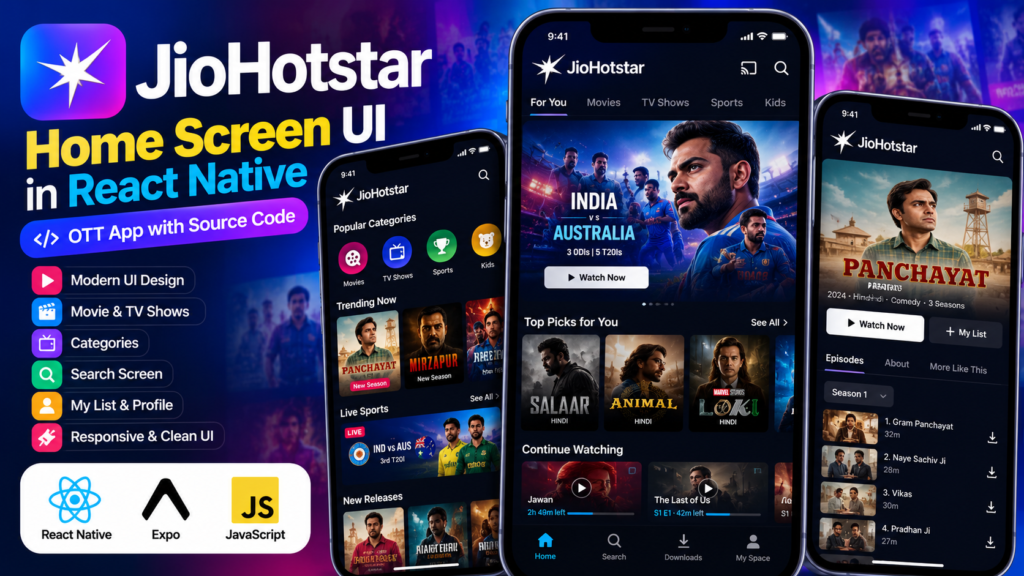
Looking for a modern JioHotstar Home Screen UI in React Native for your next mobile app project? This project recreates the look and feel of a modern OTT streaming application’s home screen using React Native.
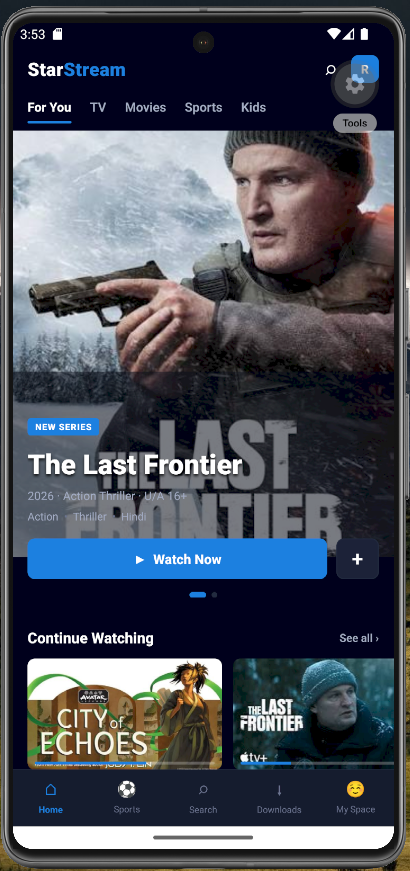
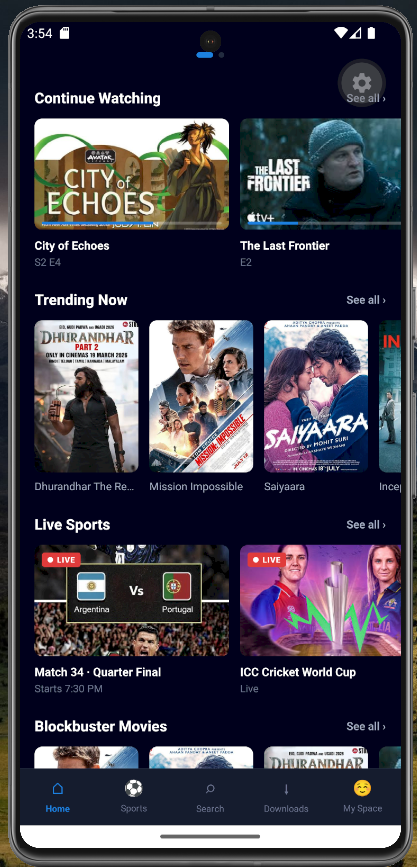
The project focuses on the mobile home screen experience, including a featured content banner, navigation, movie and show cards, content sections, and a dark streaming-platform interface.
Disclaimer: This is an independent educational UI recreation inspired by the JioHotstar interface. It is not an official JioHotstar application, product, or source code, and it is not affiliated with JioHotstar or its owners.
About This React Native JioHotstar UI Project
This JioHotstar UI clone project is designed as a frontend practice project for developers who want to learn how to create modern OTT and streaming application interfaces with React Native.
The main focus of the project is the JioHotstar-style home screen UI. The interface uses a dark theme with content-focused sections designed to make movies, shows and other entertainment content easy to browse.
This project can be useful for React Native developers, students, UI designers and developers building their own OTT, movie, video streaming or entertainment applications.
JioHotstar Home Screen UI Features
The recreated home screen includes several common components found in modern OTT applications:
Featured Content Banner
The top section contains a large featured-content banner designed to immediately highlight movies, shows or other premium content.
This section can be connected to an API or backend in a production application to display dynamically managed content.
Category Navigation
The interface provides navigation for different types of entertainment content. This makes it easier for users to move between sections and discover content.
Movie and Show Cards
Reusable content cards are used to display movies and shows in horizontal content sections.
Each card can be extended with additional information such as:
Movie or show title
Poster image
Genre
Release year
Rating
Watch progress
Play button
Continue Watching Section
A streaming application can use a Continue Watching section to display content that a user has previously started.
The UI can later be connected to a backend to store watch progress for individual users.
Popular Content Section
The project also demonstrates how a streaming application can organize popular or recommended content into horizontally scrollable sections.
Bottom Navigation
The mobile interface includes bottom navigation for quickly accessing major areas of the application.
This approach is particularly useful for mobile applications because important navigation options remain easily accessible while browsing content.
Technologies Used
This project is built using React Native and JavaScript.
The project structure can also be extended with technologies such as React Navigation, Redux Toolkit, REST APIs and a backend service when converting the UI into a complete OTT application.
Why Build an OTT UI with React Native?
React Native allows developers to create mobile interfaces using a React-based development approach while targeting mobile platforms.
A project like this is useful for learning how to structure reusable components for a content-heavy application.
For example, the home screen can be divided into reusable components such as:
Header
FeaturedBanner
CategoryList
ContentSection
MovieCard
ContinueWatching
BottomNavigation
This component-based structure makes it easier to maintain and expand the application as new features are added.
What You Can Learn From This Project
This JioHotstar Home Screen UI in React Native provides practical experience with several important mobile development concepts.
You can learn how to:
Build a modern OTT application interface
Create reusable React Native components
Design dark-theme mobile interfaces
Create horizontal content lists
Build movie and show cards
Organize a complex mobile home screen
Implement bottom navigation layouts
Work with local images and assets
Structure React Native screens
Prepare a UI for API integration
How to Turn This UI Into a Complete OTT App
The current project focuses on the frontend UI. Developers can extend it into a complete streaming application by connecting it to a backend.
Possible additions include:
User Authentication
Add login, registration, OTP authentication or social login.
Movie API
Connect the application to a movie or entertainment API to dynamically load content.
Search
Add a search screen that allows users to search for movies, shows and other content.
Watchlist
Allow users to save movies and shows to their personal watchlist.
User Profiles
Create multiple profiles and personalized content recommendations.
Video Player
Integrate a video player for playing authorized streaming content.
Backend Integration
A backend can be used to manage:
Users
Movies
Shows
Categories
Watch history
Watchlists
User preferences
React Native JioHotstar UI Project Structure
A scalable version of this project can be organized into reusable components and screens.
This structure makes it easier to expand the project into a complete React Native application.
Who Can Use This React Native Project?
This project can be useful for:
React Native beginners
React Native developers
JavaScript developers
Mobile app development students
UI/UX designers
Developers building OTT applications
Developers creating portfolio projects
Students looking for React Native project ideas
Download JioHotstar Home Screen UI Source Code
If you are learning React Native or working on an OTT application, you can use this project as a starting point for experimenting with mobile UI development.
Download the project source code from SkillHost and customize the interface according to your own application requirements.
You can change the colors, content cards, images, navigation, categories and other components to create your own unique streaming application interface.
Final Thoughts
This JioHotstar Home Screen UI in React Native project demonstrates how a modern OTT-style mobile interface can be structured using reusable React Native components.
It is intended as an educational and portfolio project for developers who want to practice building React Native OTT UI, streaming app interfaces and modern mobile application designs.
The UI can also serve as a foundation for a larger application with authentication, APIs, search, watchlists, user profiles and authorized video playback.
If you are building React Native projects for your portfolio, this type of content-heavy application is a useful way to practice component architecture, mobile navigation and reusable UI development.
Check Out More Interesting Projects
Enjoyed this JioHotstar Home Screen UI in React Native? Explore more interesting React Native projects, mobile app UI designs, and ready-to-use source code on SkillHost.
Discover more projects, get inspiration for your next app, and explore different frontend technologies and modern UI concepts.
You don't have enough credits to download this project. Earn more credits by inviting friends to SkillHost, or subscribe to Premium for more project downloads
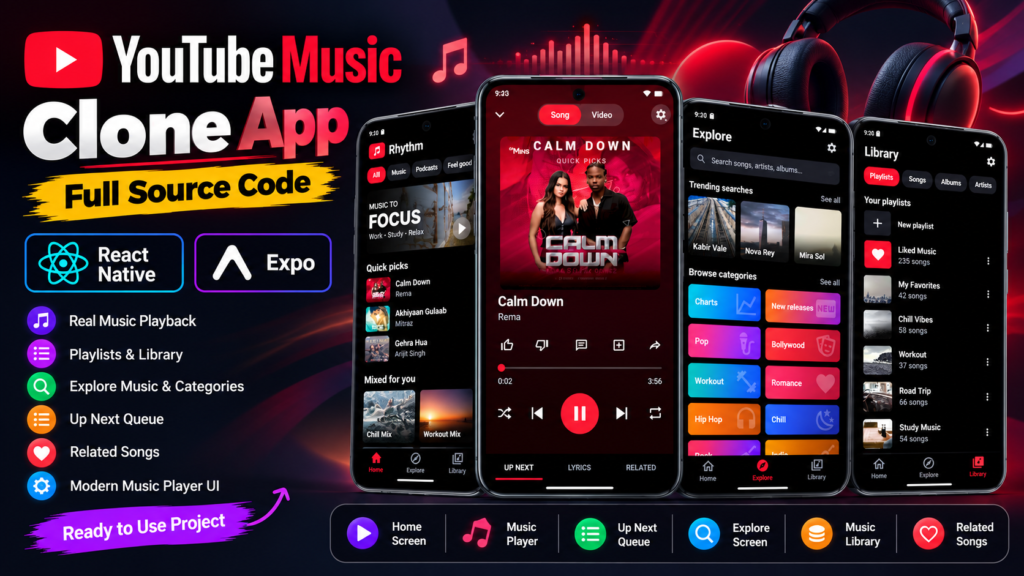
Download a YouTube Music Clone App built with React Native and Expo. Explore real music playback, playlists, music library, related songs, and a modern music player UI.
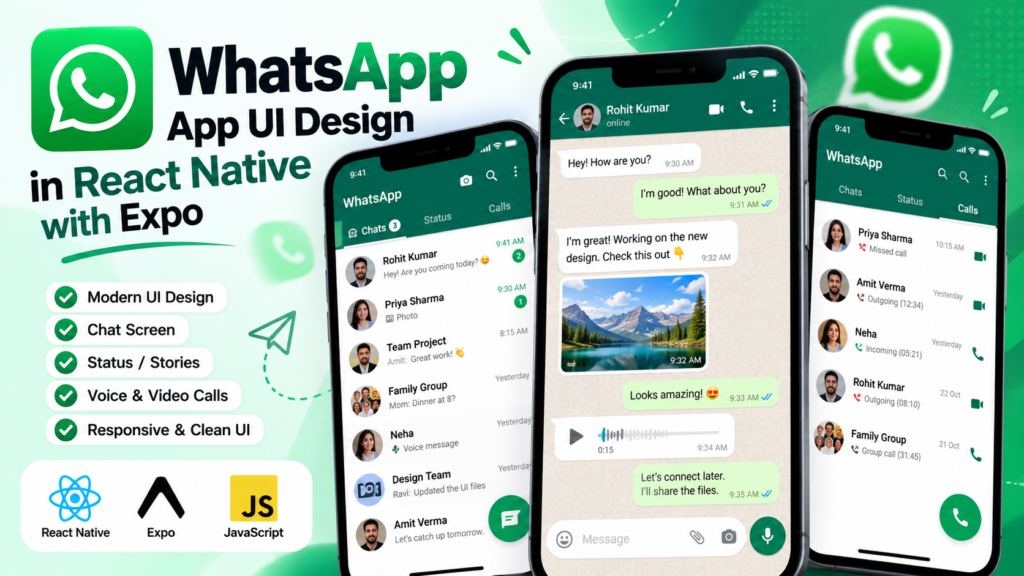
Explore a WhatsApp App UI design in React Native built with Expo, featuring chats, status, contacts, communities, calls, and interactive dummy conversations.
Build a modern Snapchat-inspired UI using React Native and Expo. Download the React Native Snapchat UI source code and learn how to create a chat screen, tabs, badges, navigation and more.
This project is a clean and modern ride-booking mobile application UI built with React Native and Expo. It provides a complete frontend experience for exploring available rides, selecting a vehicle, choosing a pickup location and going through a simple booking confirmation flow.